Independent guide: not affiliated with MEPCO, PITC, WAPDA or any government body. Bills open only on the official PITC website. Read the disclaimer.
Last checked: 7 November 2026
The official MEPCO bill page on PITC does not accept a CNIC: it opens a bill only with the 14-digit reference number or the 10-digit Customer ID. Many people still search for a CNIC bill check, so here is the full answer, based on the official pages we read on 7 November 2026, and what you can do instead. If you already have your reference number, you can check your MEPCO bill with our checker.
Short answer
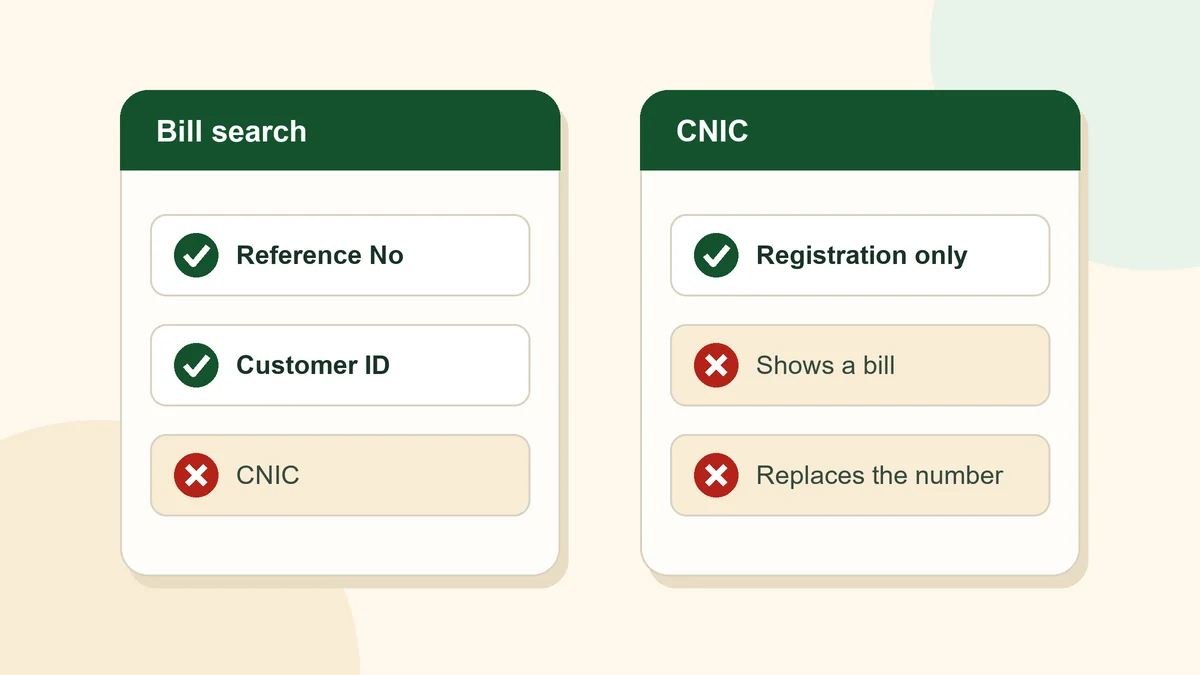
On the official MEPCO and PITC pages we read on 7 November 2026, there is no bill search by CNIC. The official bill page searches only by Reference No or Customer ID. Your CNIC is used on PITC’s official registration portal to link a CNIC to an electricity account. This site never asks for your CNIC.
What we checked
We read these official pages on 7 November 2026 to answer the CNIC question:
- The PITC MEPCO bill page (bill.pitc.com.pk/mepcobill). It has two search options, Reference No and Customer ID, and a single number box. There is no CNIC field.
- The PITC bill service home page (bill.pitc.com.pk/index). It describes getting your latest bill “using reference or consumer number” and downloading a duplicate bill. It mentions no CNIC search.
- MEPCO’s CNIC Registration page (mepco.com.pk/cnic-registration/). It explains CNIC registration but does not say that bills can be searched by CNIC.
- MEPCO’s FAQ page (mepco.com.pk/faqs/). It has no entry on CNIC, the reference number or the Customer ID.
Official services can add new features at any time. We re-read these pages every month, and if a CNIC bill search appears on an official page, we will update this guide.
What your CNIC is used for
The CNIC does have an official role, but it is registration, not bill checking.
MEPCO’s website has a CNIC Registration page that lets consumers “link their electricity accounts with their Computerized National Identity Cards”. It sends you to PITC’s portal at mnr.pitc.com.pk, titled “Electricity Consumer’s CNIC Number Registration”.
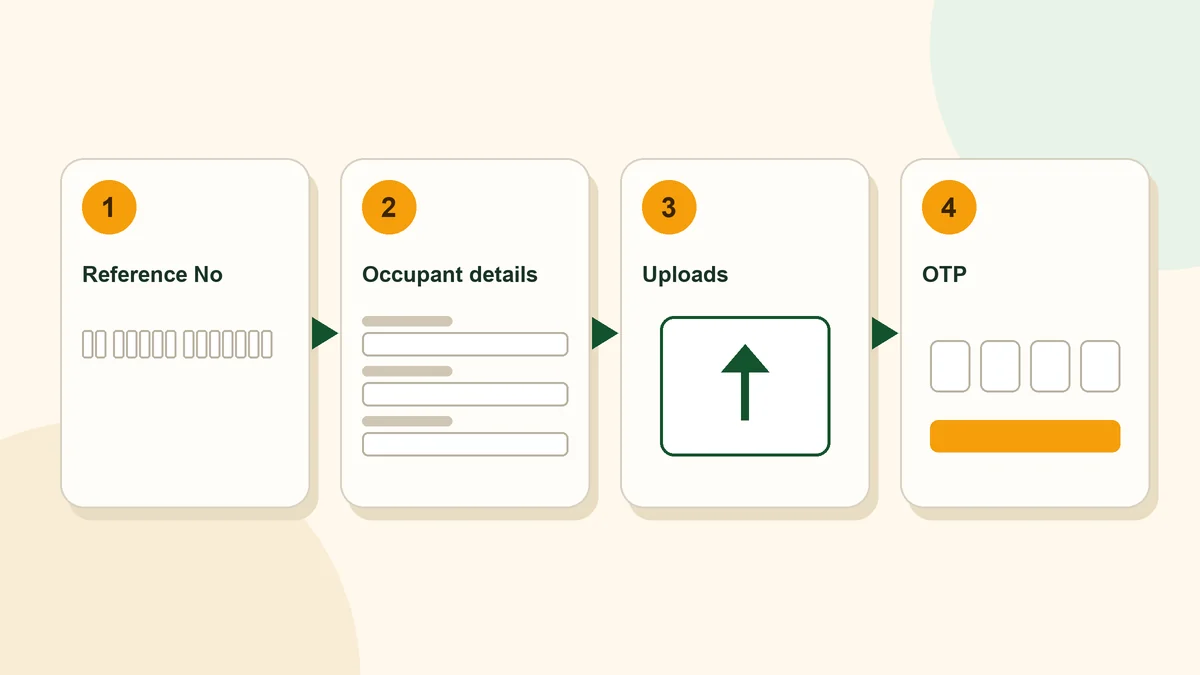
On that portal, the first thing you are asked for is your bill’s reference number: “Please Enter Your Reference No.” The registration then asks for an email address, the occupant’s details, document uploads and a one-time code (OTP). So even CNIC registration starts with the reference number, not the other way round.
The portal also carries an important warning: “This information will change the occupant CNIC and for change of ownership please visit nearest CFC’s or RO office.” In other words, the portal changes the occupant’s CNIC on the account. A change of ownership is a separate step, done in person at the nearest CFC or RO office, as the portal says.
The MEPCO SMART app, listed on MEPCO’s website, also has an “Update Tenant CNIC” service, described as “Update the name, CNIC., phone and email.”
How to check your MEPCO bill without a reference number
If you do not have your reference number, these are the official routes.
- Use your Customer ID. The official bill page has a Customer ID option as well as the reference number. Select Customer ID first, then enter that number using digits only.
- Get a duplicate bill from MEPCO. MEPCO’s FAQ says duplicate bills are available at its customer service centres. Our duplicate bill guide explains the online and in-person routes.
- Contact MEPCO. MEPCO’s contact page lists the phone number 0319-9757789 and the email address [email protected]. These are its general contact details; the page does not describe them as a service for finding reference numbers.
Our 14-digit reference number guide explains what the official form expects and how to fix the “Given Ref/App No is invalid” error.
Be careful with sites that ask for your CNIC
Because we found no official CNIC bill search, be cautious with any website that asks for your CNIC to show you a bill. Your CNIC is personal information. A bill check on the official page needs only a reference number or Customer ID.
Important
Do not enter a CNIC, phone number or payment information into a third-party bill checker. This site never asks for those details.
The PITC complaint portal adds a payment warning: do not pay for electricity services through Easypaisa, JazzCash or direct bank transfers to an individual’s account. Suspicious calls or payment demands can be reported to the PITC helpline 118.
Frequently asked questions
Can I check my MEPCO bill by CNIC?
Not on the official pages we read on 7 November 2026. The official PITC bill page searches only by Reference No or Customer ID.
Why does the official registration portal ask for my CNIC?
MEPCO’s CNIC Registration page lets consumers link their electricity account to their CNIC. The PITC portal used for this asks for the bill’s reference number first.
Does this website ask for my CNIC?
No, never. Our checker asks only for a reference number or Customer ID and opens the official PITC page in a new tab. We do not see or store any number.
Can I change the owner’s name on my connection online?
The PITC registration portal says it changes the occupant CNIC. For a change of ownership, it tells you to visit the nearest CFC or RO office.
What if I do not know my reference number?
Try your Customer ID on the official page, or get a duplicate bill from a MEPCO customer service centre, as MEPCO’s FAQ describes.