Independent guide: not affiliated with MEPCO, PITC, WAPDA or any government body. Bills open only on the official PITC website. Read the disclaimer.
Last checked: 7 November 2026
If you live in Multan and want to see your MEPCO electricity bill online, you use the same official bill page as every other MEPCO consumer. There is no separate Multan page and no city to select. All you need is your 14-digit reference number or your Customer ID. You can check your MEPCO bill with our checker, which opens the official PITC page in a new tab.
This guide covers the bill check itself, MEPCO’s head office in Multan, and the official routes for complaints and duplicate bills.
One official bill page for Multan and every other city
MEPCO’s online bills are shown on PITC’s “MEPCO Web Bill” page at bill.pitc.com.pk. MEPCO’s own website links its “MEPCO Bill” menu item to that page. When we read it on 7 November 2026, the page had no city selector. It asks only for a Reference No or a Customer ID, plus a small “U” / “R” drop-down that the page does not explain.
That means a bill check from Multan works in exactly the same way as a check from anywhere else MEPCO serves. There is no need to look for a separate Multan bill page.
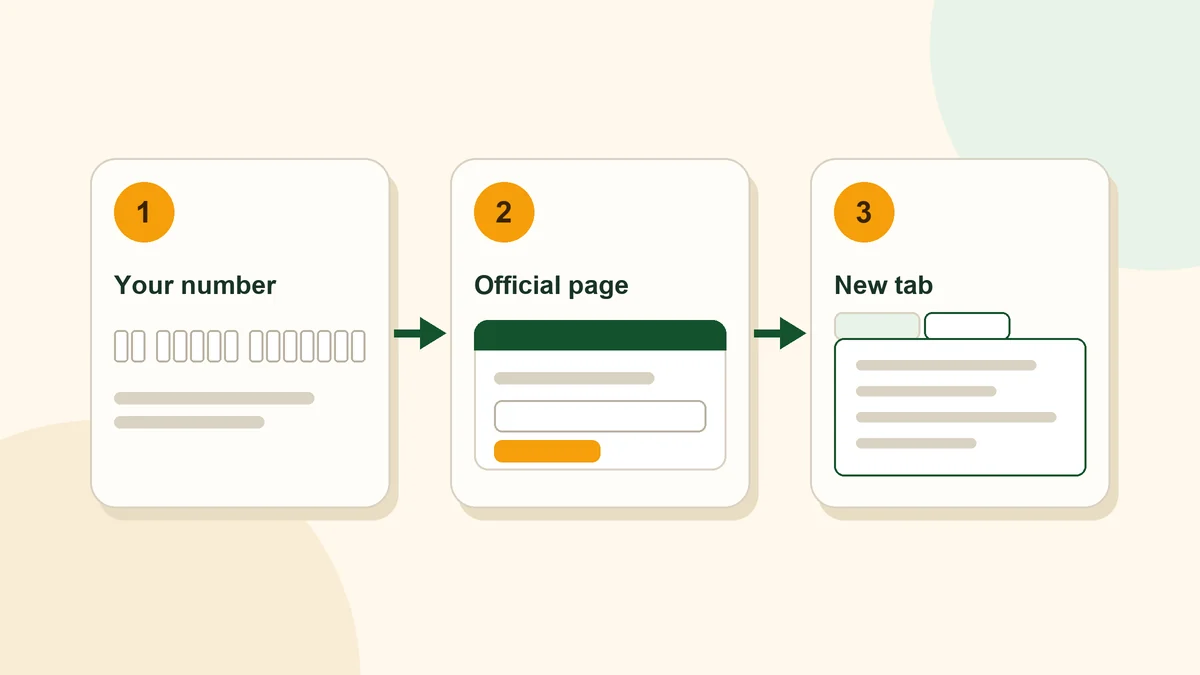
How to check your MEPCO bill in Multan
The check is the same as anywhere else MEPCO supplies: enter your 14-digit reference number or Customer ID, digits only, in our bill checker, and your bill opens on the official PITC page in a new tab. Our reference number guide explains where the number is printed and what the “Given Ref/App No is invalid” message means.
MEPCO head office in Multan
MEPCO’s head office is on Khanewal Road, Multan, according to its official contact page. The same page lists the general contact phone number 0319-9757789 and the email address [email protected]. MEPCO’s website introduces the company with the line “Electricity Providers in Southern Punjab”.
MEPCO’s contact page also offers circle-wise telephone directories, as PDF files, for these circles:
- Multan
- DG Khan
- Vehari
- Bahawalpur
- Sahiwal
- RY Khan
- Muzaffargarh
- Bahawalnagar
- Khanewal
These are the circle names MEPCO uses for its telephone directories; they are not a list of districts. If you need a phone number for a MEPCO office in Multan, the Multan circle directory on the MEPCO contact page is the place to look.
Complaints from Multan
You have three official routes.
The PITC complaint portal. MEPCO’s website links its “Complaint Cell” menu item to the PITC portal at ccms.pitc.com.pk. The portal lets you register a complaint online and track it by a link. You can also call 118 or send an SMS to 8118, or email [email protected]. The portal says complaints are auto-acknowledged within 24 hours and aims to resolve them within 14 days. If you need to escalate, it gives a written route to the Head, Quality & Assurance at [email protected].
For power cuts, MEPCO’s website also links to a feeder-wise load-shedding schedule on the same PITC system (ccms.pitc.com.pk/FeederDetails). Your feeder’s name is printed in the Consumer Detail box of your bill.
The MEPCO SMART app. MEPCO’s website describes its app, MEPCO SMART, with features including Power Complaint, Load Shedding Schedule and Bill Estimator. On Google Play the app is listed as “MEPCO SMART” with PITC shown as the developer. Download it only through the links on the official MEPCO app page.
MEPCO’s own numbers. MEPCO’s FAQ page says that if your complaint office line is busy, you can call your local office or the head office numbers it lists: 061-9220313, 9220317, 9220314 and 0800-63726.
Helpful tip
Before you call, keep your reference number ready. You do not need to share your CNIC or any payment details to check a bill.
Duplicate bill or a bill that did not arrive
If you need a copy of your bill, PITC says its bill service lets you download or print a duplicate bill for payment at any branch. MEPCO’s FAQ also says duplicate bills are available at its customer service centres. Our MEPCO duplicate bill guide explains both routes step by step.
If your bills regularly do not reach you on time, MEPCO’s FAQ advises contacting your sub-division office.
Stay safe when paying
The PITC complaint portal warns consumers not to pay for electricity services through Easypaisa, JazzCash or direct bank transfers to an individual’s account. If someone calls you and demands payment, the same portal says you can report it to 118.
Frequently asked questions
Is there a separate MEPCO bill page for Multan?
No. When we read the official PITC page on 7 November 2026, it had no city selector. Multan consumers use the same page as every other MEPCO consumer.
Where is the MEPCO head office?
MEPCO’s official contact page gives its head office as Khanewal Road, Multan.
What number do I need for a bill check in Multan?
Your 14-digit reference number, or your Customer ID instead. The official form offers both options.
How do I make a complaint in Multan?
Use the PITC complaint portal at ccms.pitc.com.pk, which MEPCO’s website links as its Complaint Cell, call 118 or send an SMS to 8118. The MEPCO SMART app also has a Power Complaint feature, and MEPCO’s FAQ lists head office numbers.
Can I check my Multan bill with my CNIC?
The official bill pages we read on 7 November 2026 offer no CNIC search. See our CNIC guide.